BookingPilot Housekeeping
Skip to content
BookingPilot

Every conversation in one thread

OTA and direct messages land in a single inbox, attached to the guest and the reservation. Routine questions get an AI-assisted draft; you check it and send.

Drafts first: nothing sends itselfYour branding, your sender address

Auto-replies stay capped at three per stay, per day. Everything else waits for your click.
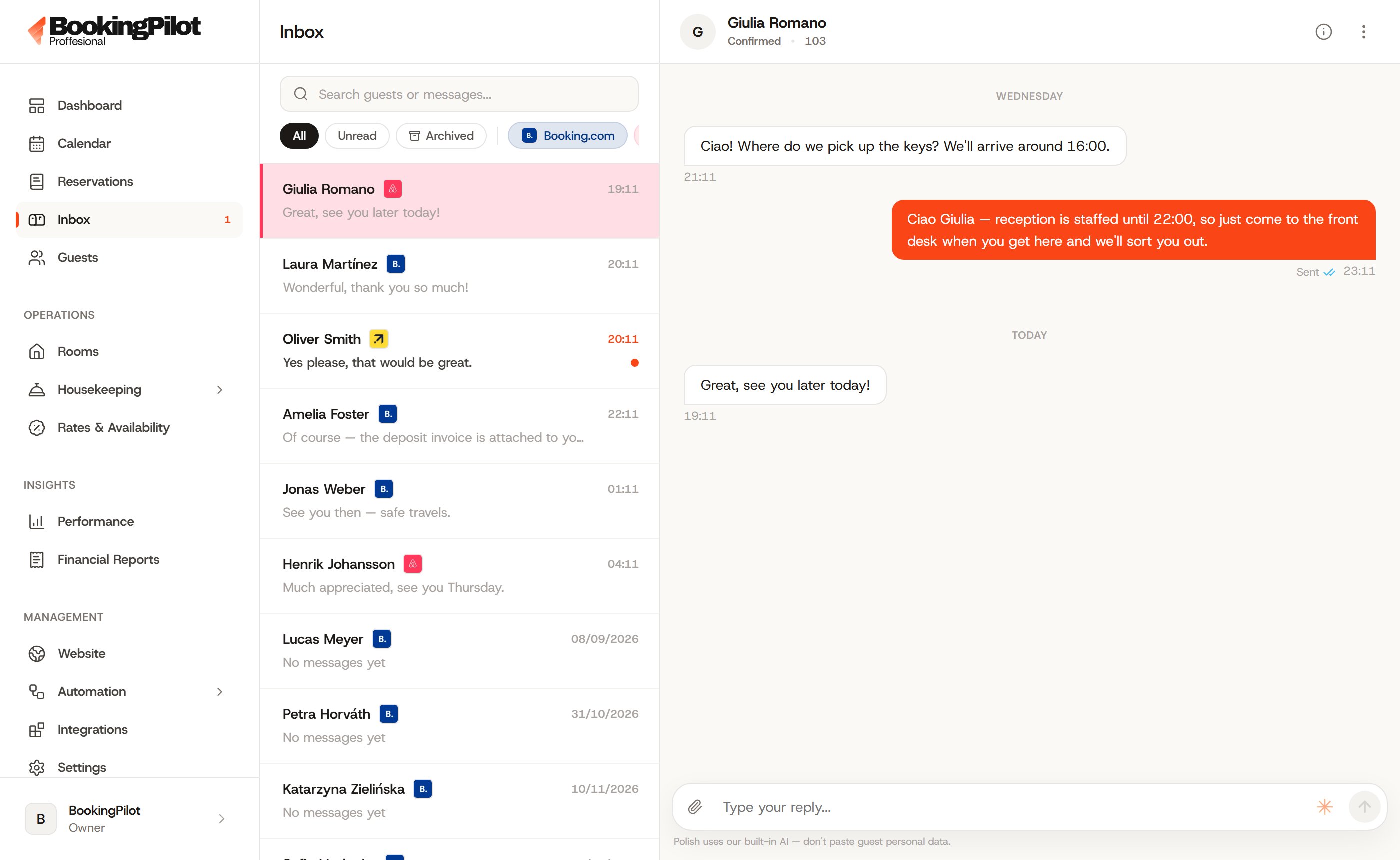
The BookingPilot guest inbox: the thread list beside an open guest conversation
4
message channels in one inbox
4
AI triage labels on incoming mail
3/day
cap on automated replies per stay
11
automations in the catalog

Messaging before the inbox

What guest communication looks like when every channel keeps its own mailbox.

01
One guest, four inboxes
The Booking.com message, the Airbnb thread, the email and the WhatsApp screenshot. Whoever answers last apologizes first.
One thread per guest, whatever they wrote on
02
The same answer, typed daily
Check-in time, parking, the Wi-Fi code. Every property answers the same dozen questions a hundred times a season.
Templates and AI drafts carry the routine
03
The message nobody saw
A late-arrival note sat unread in an OTA extranet tab. The review mentioned it by name.
Every channel lands in the place you already look

Four inboxes today. One thread per guest with BookingPilot.

Whatever they write on, one thread

Booking.com, Airbnb, Expedia and direct email land in the same conversation, attached to the guest and the reservation.


Booking.com
Booking.com
guest messaging
Airbnb
Airbnb
guest messaging
Expedia
Expedia
guest messaging
Direct email
your own address
Sofia Marchetti · Room 12 · Jun 14-17
Question
via Booking.com
Hi! Our flight lands early. Any chance we could check in around 12:00 instead of 15:00?
via email
Sending over our passport details for the check-in form.
via Booking.com
That is perfect, see you on Friday!
Confirmation sent automatically · 09:02

Different apps, one thread: every message lands attached to the guest, the stay and the balance.

From ping to answer

01
A guest writes from anywhere

OTA inbox or direct email: it lands in one thread, attached to their reservation and stay history.

02
The routine answers itself

Confirmations, arrival instructions and review requests queue from your templates, in the guest’s language.

03
AI drafts the rest

Routine questions get a draft and a triage label. You read it, edit it if needed, and send.

04
Requests become tasks

A guest asking for towels or a repair can become a task for the right teammate, without leaving the thread.

The inbox reads itself before you do

Incoming messages get classified the moment they land, so an urgent lockout never waits behind a Wi-Fi question. Routine asks can become tasks for the right teammate automatically.
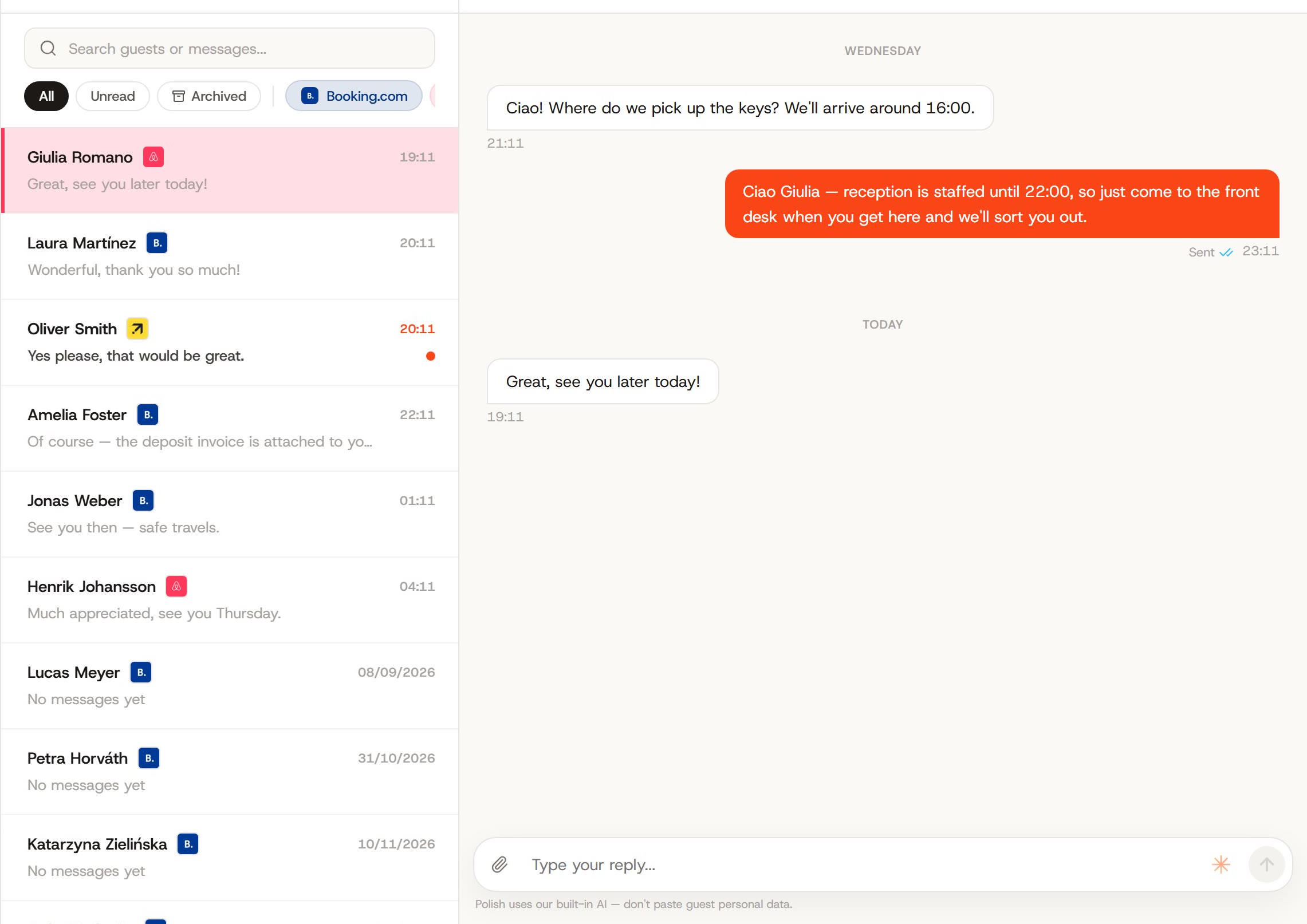
Alerts push for the categories you pick
Draft-only by default: nothing reaches a guest without a click
Auto-reply exists if you want it, capped and always escalatable
Inside the BookingPilot inbox: the thread list with channel badges beside an open conversation

Messages that send themselves

Eleven automations cover the stay lifecycle and the triage around it. Each one is a toggle you control, and every scheduled send waits in a queue you can open first.

Booking confirmed
Welcome message the moment a stay lands
Before arrival
Instructions and the pre-check-in link, on your day of choice
After check-out
Thank-you note and review request, a few hours later
And the moments between:Guest writes in · Instant acknowledgment, team emailed if you wantDeposit requested · The payable invoice goes out with the requestBalance outstanding · A payment follow-up when money is due

Each trigger sends from a template you write, in the language the guest booked in. Routine questions that do come back get an AI-assisted draft: you check it, nothing sends itself.

What it does

01
One inbox, not five tabs
Booking.com, Airbnb, Expedia and direct email in a single thread per guest
Every message attached to the reservation it belongs to
02
AI drafts, you decide
Routine questions get an AI-assisted draft reply
Nothing sends itself: you check it, edit it, send it
03
Messages that send themselves on schedule
Confirmations, check-in instructions and reminders queue automatically
Triggers on arrivals, departures, payments and booking events
04
Templates with your branding
Five guest-facing email templates in one builder
Design presets, variables and test sends before anything goes out
05
In the guest’s language
Replies deliver in the language of the guest’s latest message
Names, dates, prices and links stay exactly as written
06
Sensitive stays human
Refunds, discounts and policy exceptions escalate to your team as drafts
The auto-reply steps aside the moment a teammate answers

Guest inbox: questions buyers ask

Short, honest answers. The live chat has the long version.

Works with

Same account, same data, nothing to integrate

Answer every guest from one place

Create your account, add your first property, and see the calendar fill itself.