


BookingPilot Housekeeping
Skip to content
BookingPilot

Purpose-built for the people who clean

A separate mobile app your housekeeping team actually carries. Simple enough to learn on a shift, live enough that the desk stops making phone calls.
No app-store installWorks offline, syncs back
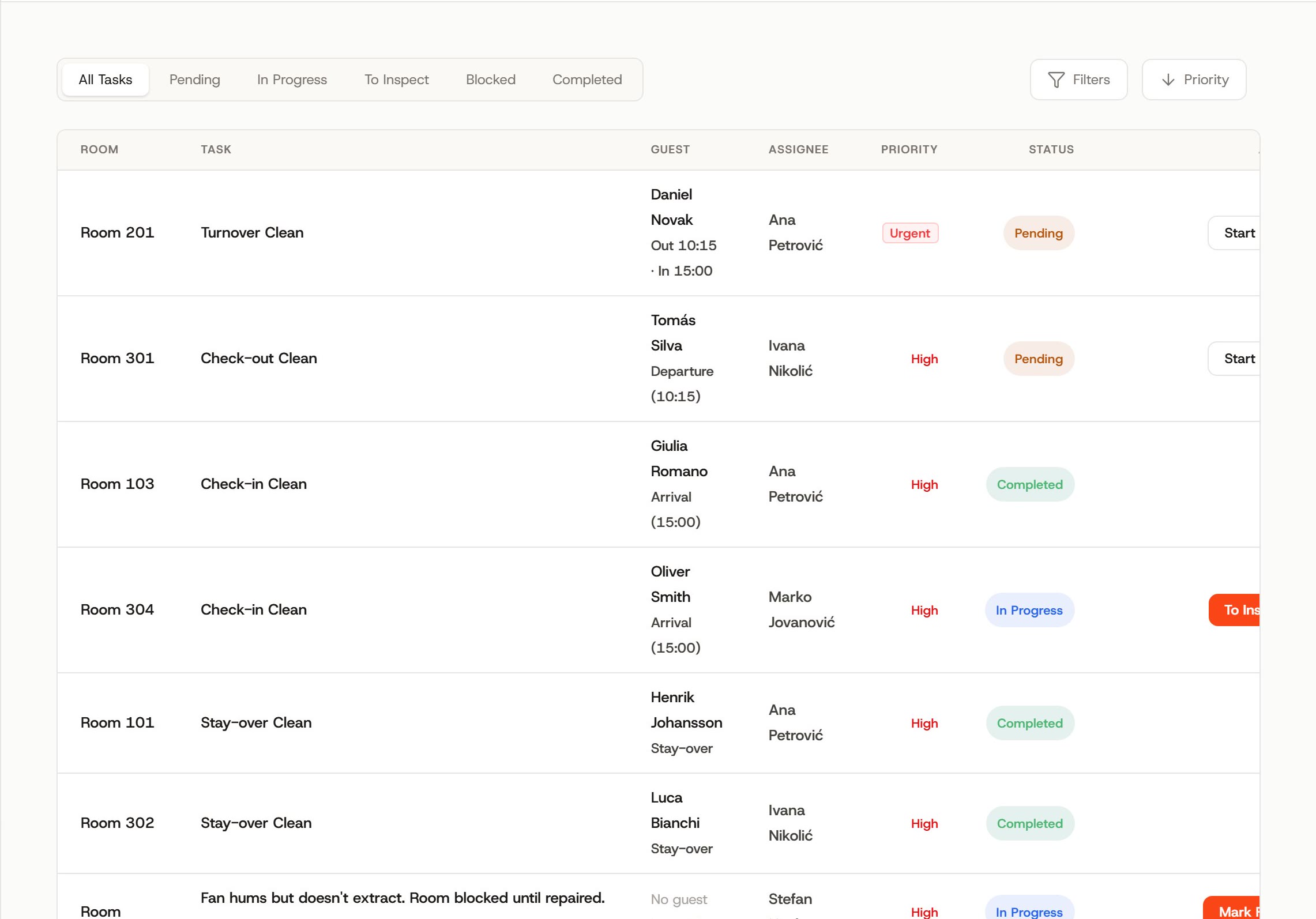
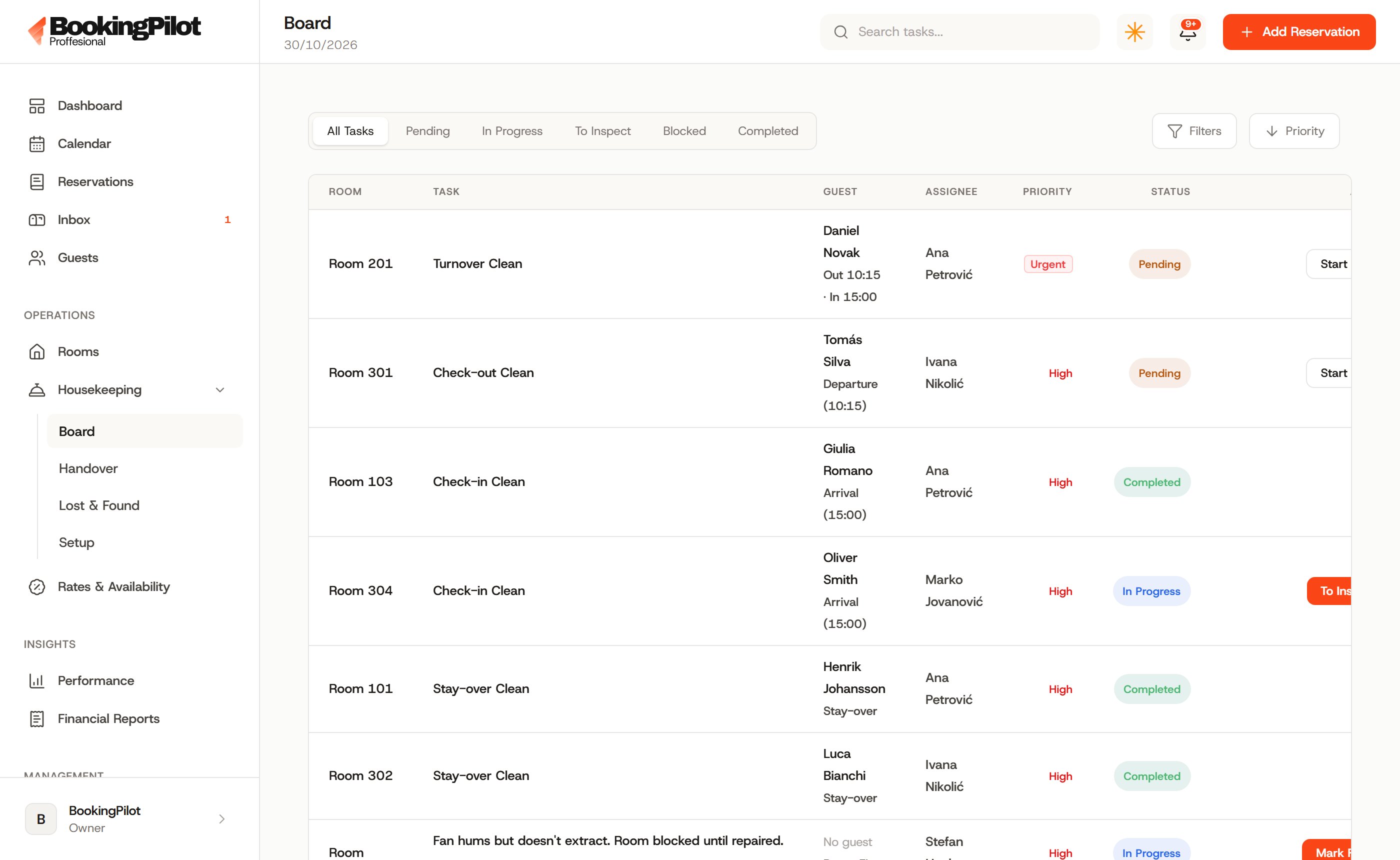
The BookingPilot housekeeping board: room tasks with assignees, priorities and live statuses
25
languages in the staff app
1 swipe
to mark a room clean
0
guest names or rates shown to cleaners
Offline
work queues on the phone, syncs later

The floor before the app

What room status costs when it travels by voice and paper.

Room status by walkie-talkieThe desk calls the floor, the floor calls back when someone hears it. Meanwhile the early arrival waits in the lobby.
The handover on a sticky noteA note taped to the desk says 310 needs a cot. The evening shift finds it under the keyboard at 22:00.
A rota in the wrong languageHalf the team reads assignments in a language they barely speak, and the details get lost in translation.

A shift, start to finish

Housekeepers see only their work: today's rooms, in the language they speak, on the phone they already carry. No login to the back office, no exposure to guest or rate data.
Saved on this phone (3)Pending sync → synced
07:30Shift board assigned: Ana sees her 11 rooms in her own language.
09:10Room 204 flipped to clean with one swipe. The desk sees it instantly.
11:30Supervisor marks 204 inspected. It turns green on the front-desk board.
13:45A guest left headphones in 310, logged as lost & found, photo attached.
15:00Handover: open tasks carry to the evening shift, nothing in a notebook.
The housekeeping staff app showing room task boards

Every swipe lands here, live

While staff clean, the board updates itself: room states flip, blocks arrive with reasons, and inspections wait for a supervisor's call. Nobody phones the floor anymore.

Rooms grouped by status: dirty first, inspected last
Blocks surface with the reason and the try-again time
Lost & found and supply requests sit one click away

Staff see their work. You see everything.

On the housekeeper's phone
Today’s rooms and task boards
One-tap status: clean, dirty, inspected
Lost & found, supplies and handover notes
Shift hours and a supervisor call button
In their own language, per device
At the front desk
Live progress on every room
Assignments, shifts and handovers
Inspection sign-off before a room sells
Block reasons the moment they happen
No phone calls to the floor

What it does

Per-room task list with live clean, dirty and inspection status Swipe-to-finish gesture with an undo window Inspection sign-off: supervisors approve or send back with a note and photo Blocks with reasons and a try-again time alert the desk instantly Supplies requests, lost & found and handover notes per room Shift schedules and a cleaning guide per room type Translated into 25 languages, set per device Works offline: taps queue on the phone and sync back
Live room status
Clean, dirty, in-progress and inspection states update as staff work
The desk sees progress without calling the floor
One deliberate swipe
Hold and drag right to finish a room; the ring fill stops accidents
Swiped wrong? The toast keeps an Undo for five seconds
Inspections when you want them
Optional per property: rooms can wait for supervisor sign-off
Send-backs carry a correction note and a photo of what to fix
The details that get lost
Lost & found logged per room with photos, stored to returned
Supply requests and handover notes travel with the room
In their language
The staff app is translated into 25 languages, chosen per device
Statuses stay in English so the office reads the same board
Keeps working in the basement
No signal underground: taps save on the phone and queue
The app uploads everything once the corridor Wi-Fi reaches it

A clean handover, every shift

01
The desk assigns the day

Rooms land on each cleaner’s Today list, most urgent first, with priorities and clean types set.

02
Staff work from the phone

One swipe marks a room clean or sends it for inspection. Blocks, notes and photos attach to the room.

03
The desk watches live

Statuses flip on the front-desk board the moment staff act. No calls to the floor.

04
The shift hands over

Open tasks, notes and supply requests carry to the next shift with an expiry and an acknowledgement trail.

The staff app in its own language: all 25 of them
EnglishAfrikaansአማርኛالعربيةБългарскиবাংলাDeutschΕλληνικάFilipinoFrançaisहिन्दीItalianoМакедонскиമലയാളംPortuguêsRomânăРусскийShqipSrpskiEspañolKiswahiliதமிழ்TürkçeУкраїнськаisiZulu

Housekeeping: questions buyers ask

Short, honest answers. The live chat has the long version.

Works with

Same account, same data, nothing to integrate

Put the floor on the same page as the desk

Create your account, add your first property, and see the calendar fill itself.