


The front desk, on one screen
Every stay sits on a timeline the whole team shares. Drag a booking to a new room or date, check guests in and out, and see exactly what today holds.
PressNanywhere on the calendar for a new booking
The desk before the timeline
What the day looks like when reservations live in three places at once.
Three books today. One timeline with BookingPilot.
Six ways in, one week
A channel, your site, a walk-in or a phone call. Wherever the stay starts, it ends up as a bar on the same grid, in its own colour.
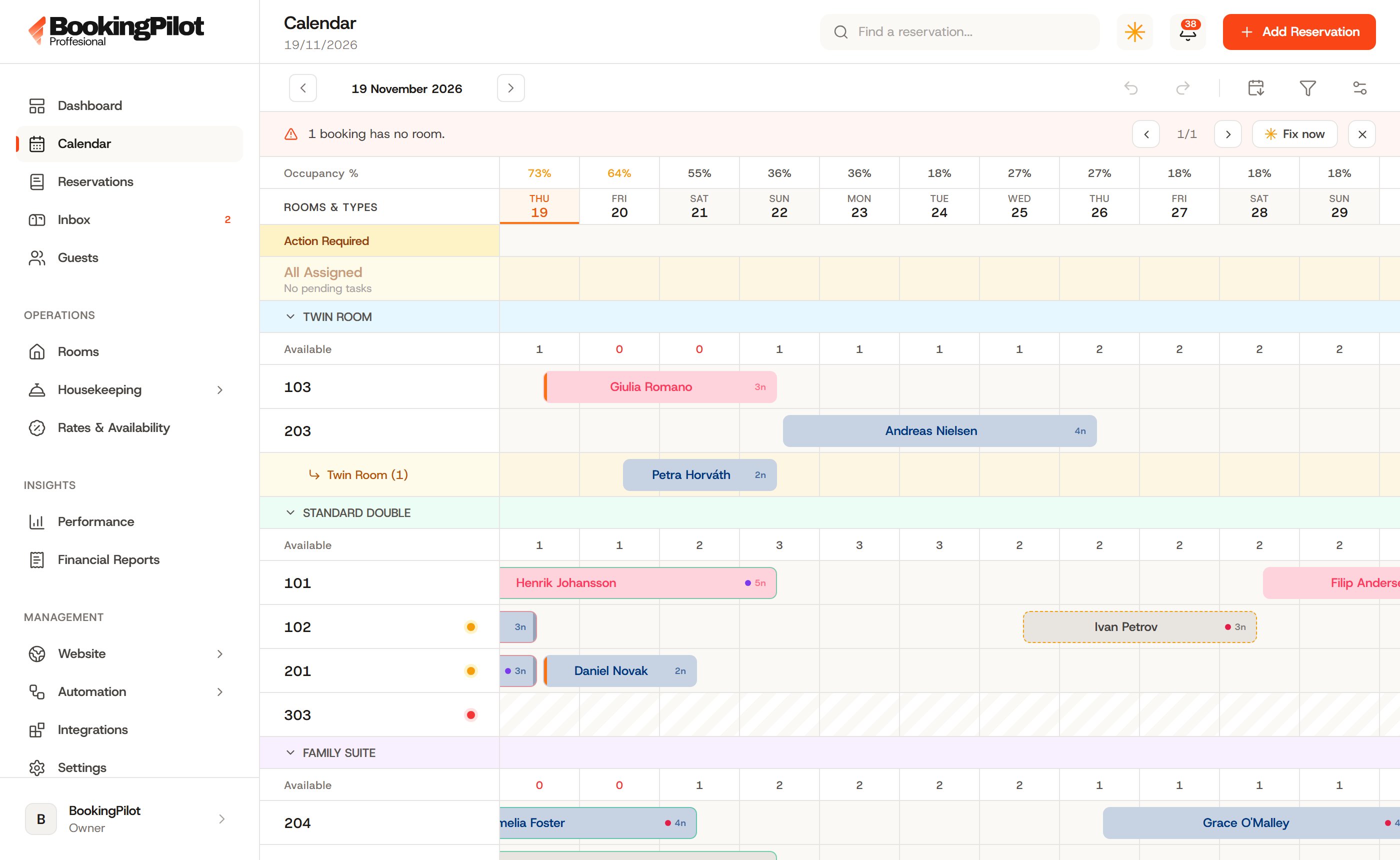
Channel bookings import themselves. The rest take seconds: drag across the empty dates.
One stay, start to finish
Follow the Rossi booking down the line. Touch a stage to see what the desk does while the stay sits there.
A booking landed but is not confirmed yet. It already holds the room, so nothing can double-book it while you decide.
From booking to checkout
Add it by hand, drag across the dates on the calendar, or let it arrive from a channel or your direct site.
Drag a stay to a new room or date. Conflicts, channel warnings and dirty rooms surface before you commit.
Guests can pre-check-in online first. At departure, any open balance settles in the same motion.
Every move, payment and status change lands in the booking history with a name and a time.
The whole job, row by row
- Drag a stay to another room or another date, the booking follows
- Drag across empty dates to create a booking with the room filled in
- Undo and redo cover calendar edits, occupancy shows in the header
- Guests pre-check-in online: documents, arrival time and requests land on the booking
- Check-in, check-out, cancellation and no-show are one-click flows
- Check-out opens the payment step prefilled with the exact balance
- Profiles match by email, then phone, then name, never overwriting
- Stay history, spend and VIP, returning or blacklisted status per guest
- Notes stay visible only to staff
- The booking history records who changed what and when
- Room moves, rate overrides and payments write their own entries
- Block for maintenance, deep cleaning or an administrative hold
- Blocked inventory stops selling on the desk and every channel
- N opens a new booking, the search bar finds guest, reference or room
- Filters and status tabs cut the list to the shift you are working
One home for the whole stay
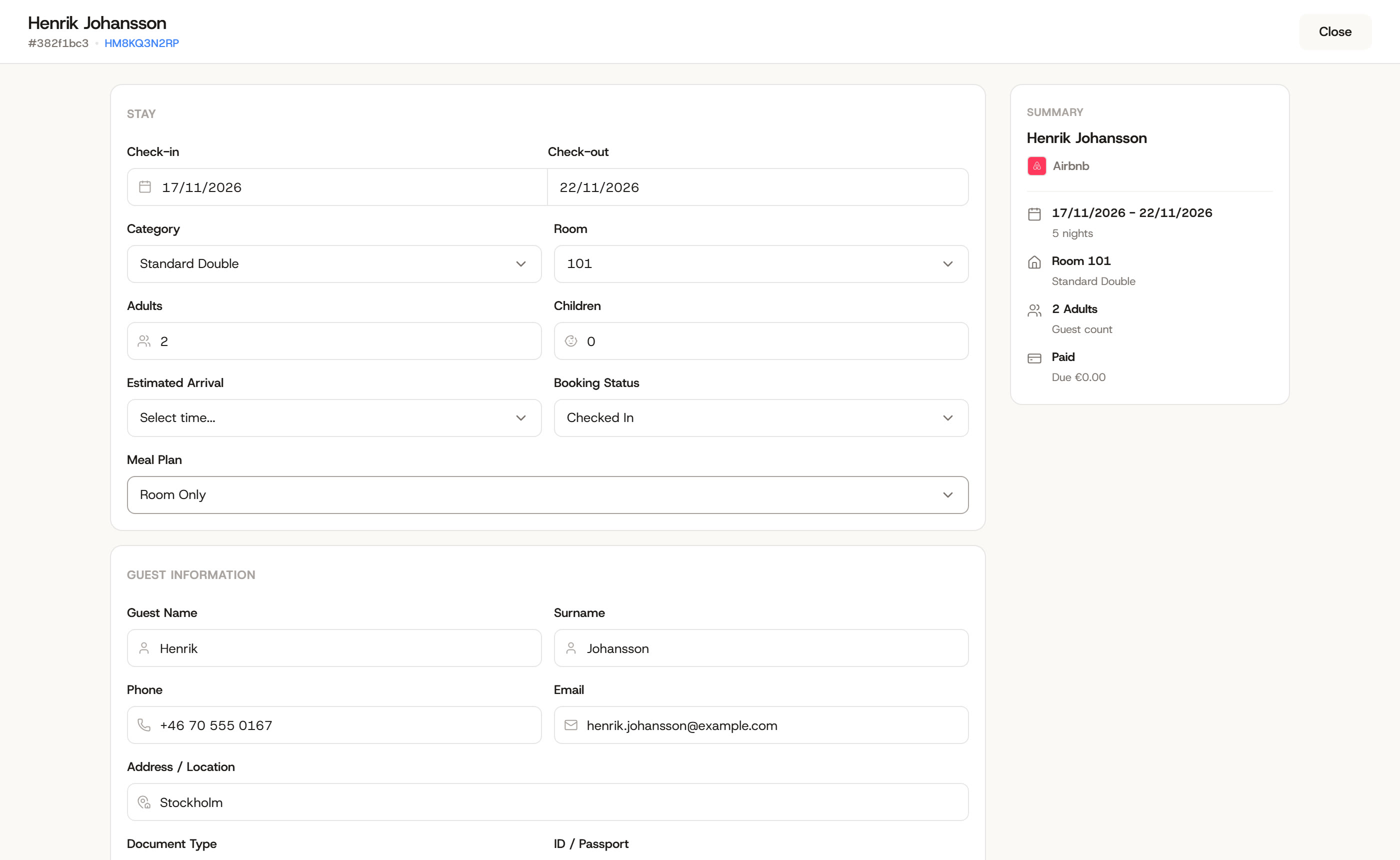
Click any booking and the drawer opens: stay details autosave as you change them, the totals box derives itself from the ledger, and the history panel records every move with a name on it.
A day at the desk
The timeline is the source of truth: arrivals, departures and stayovers live on the same bars the bookings sit on, and the activity log records every change with a name on it.
Reservations: questions buyers ask
Short, honest answers. The live chat has the long version.