


BookingPilot Housekeeping
Skip to content
BookingPilot

Numbers the owner actually reads

Revenue, occupancy and rates in one scoreboard, built from the reservations and payments you already record. Read the KPIs, open the reports, export for the accountant.

Built from live booking dataCSV on every view

Cash and stay basis run side by side. A deposit never lies twice.
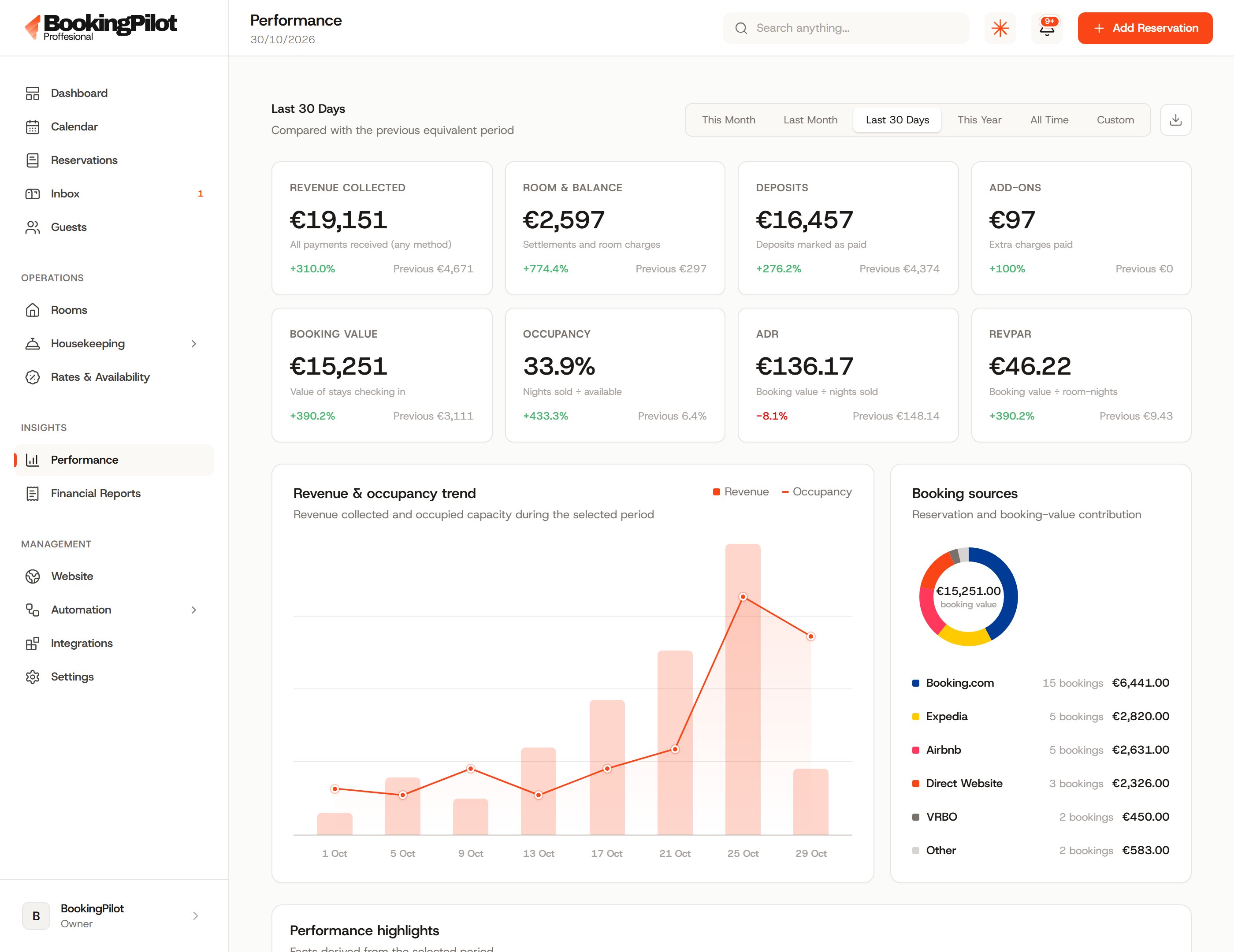
Occupancy, revenue and channel-mix reports in BookingPilot
8
headline KPIs, cash and stay basis side by side
7
ready-made financial reports
Daily
summary: one row per day, every metric on it
CSV
export on every view and every report

Reports before the scoreboard

What the month-end looks like when the numbers live in five places.

01
Month-end archaeology
Payments in the ledger app, occupancy in a notebook, ADR nowhere at all. The accountant gets a screenshot and a prayer.
One scoreboard reads the whole month
02
Which channel actually pays
Gross says the OTA won the month; net of commission tells a different story, and nobody has time to subtract.
Channel mix nets the commission out
03
The KPI that never exists
RevPAR is the number owners compare properties on. Computed by hand once a year, it may as well not exist.
Every KPI computes itself daily

Five spreadsheets today. One scoreboard with BookingPilot.

Cash basis
What is in the bank

Money counts on the date it arrived. Deposits, settlements and extras land when they are paid, so this side answers the question every owner asks first.

Stay basis
How strong demand is

Bookings count by their check-in date. A deposit taken in March for an August stay stays out of March revenue here, so occupancy, ADR and RevPAR describe real demand.

From numbers to decision

01
Pick the period

This month, last month, last 30 days, this year, all time or a custom range.

02
Read the trend

Every KPI compares itself to the previous equivalent period, the earlier figure underneath.

03
Open the report

Revenue per item, payments by method, the daily summary or the agency view for OTA reconciliation.

04
Hand it over

Download the CSV and the accountant opens it without calling you first.

A report library, not one report

Seven ready-made reports cover the books: money in, money by method, the OTA reconciliation and the daily summary the morning starts with.

Every report opens with its totals row already drawn
Refund columns are always net: received minus refunded
An empty report means the filters are too narrow, not that the data is gone
Financial reportsfilters persist per report
FinanceRevenue per item, total and individual, by check-in or check-out
PaymentsPayments by date, by check-in, by method, and a detailed ledger
AgencyOTA reconciliation, ready for the channel invoice
Monthly revenueADR and revenue by check-in, check-out or booking date
Invoice itemsReservation invoice items and charges by category
Daily financial summaryArrivals, departures, occupancy, revenue, ADR and RevPAR per day
Monthly invoice ratesAverage nightly rate and invoice rates by stay or booking date

What it does

01
Two bases, side by side
Cash basis counts money when it arrived; stay basis counts bookings by check-in
One deposit can live in two different months, and the page says why
02
Every KPI trends itself
Each headline number compares to the previous equivalent period
The earlier figure sits underneath, no guessing
03
Sources and room mix
The booking sources chart shows which channel brought the stays
A per-room-type table ranks what actually earns
04
Highlights call themselves out
Momentum, best room type and leading source surface automatically
Cancelled stays and maintenance blocks stay out of the numbers
05
A report library, not one report
Finance, payments, agency, monthly revenue, invoice items and rates
The daily summary reads arrivals, departures, occupancy, revenue, ADR and RevPAR per day
06
Exports the accountant opens
Every view and every report downloads as CSV
Filters persist, so the accountant always gets the same cut
07
Scoped by role
Admins and managers see the full library
Front desk gets the payments subset, nothing more

Reports: questions buyers ask

Short, honest answers. The live chat has the long version.

Works with

Same account, same data, nothing to integrate

Read the month like an owner

Create your account, add your first property, and see the calendar fill itself.